
- Engine monitor downloads
- JPI EDM recordings, as the binary .JPI files and as CSV exports.
- Avionics logs
- Garmin GTN 650/750 FlightStream logs (log_*.csv, or a .zip holding them). G1000 and G3X logs import as GPS tracks for now; their engine channels are not read yet. If you fly behind either, your logs are exactly what we need to build that: join the beta and tell us.
- EFB tracks
- ForeFlight KML exports, regular or Full, and Garmin Pilot GPX exports (beta). Other apps’ KML and GPX exports may work.
- Your logbooks
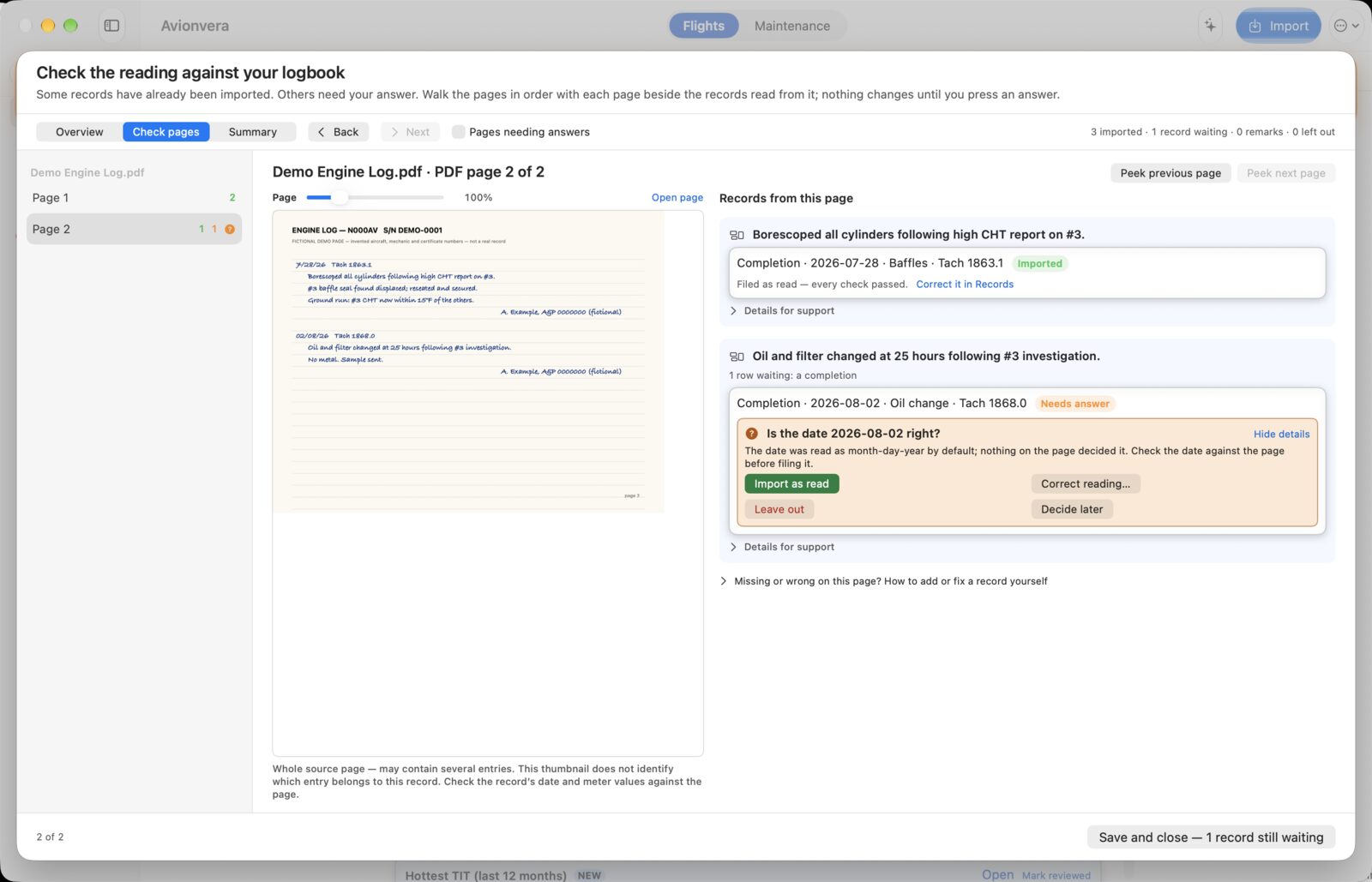
- Scanned logbook pages, read with OpenAI when you start a reading (with your own OpenAI API key; OpenAI may charge for its use — the built-in sample log reads without one), into maintenance records that you check against the page before anything is filed.
- Records you already keep
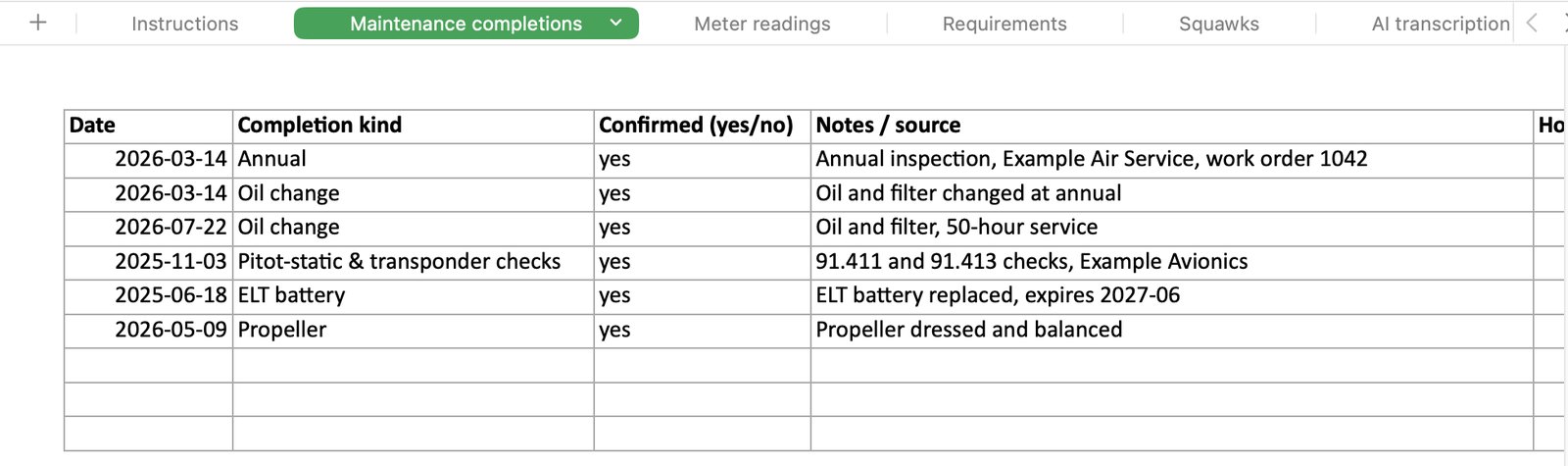
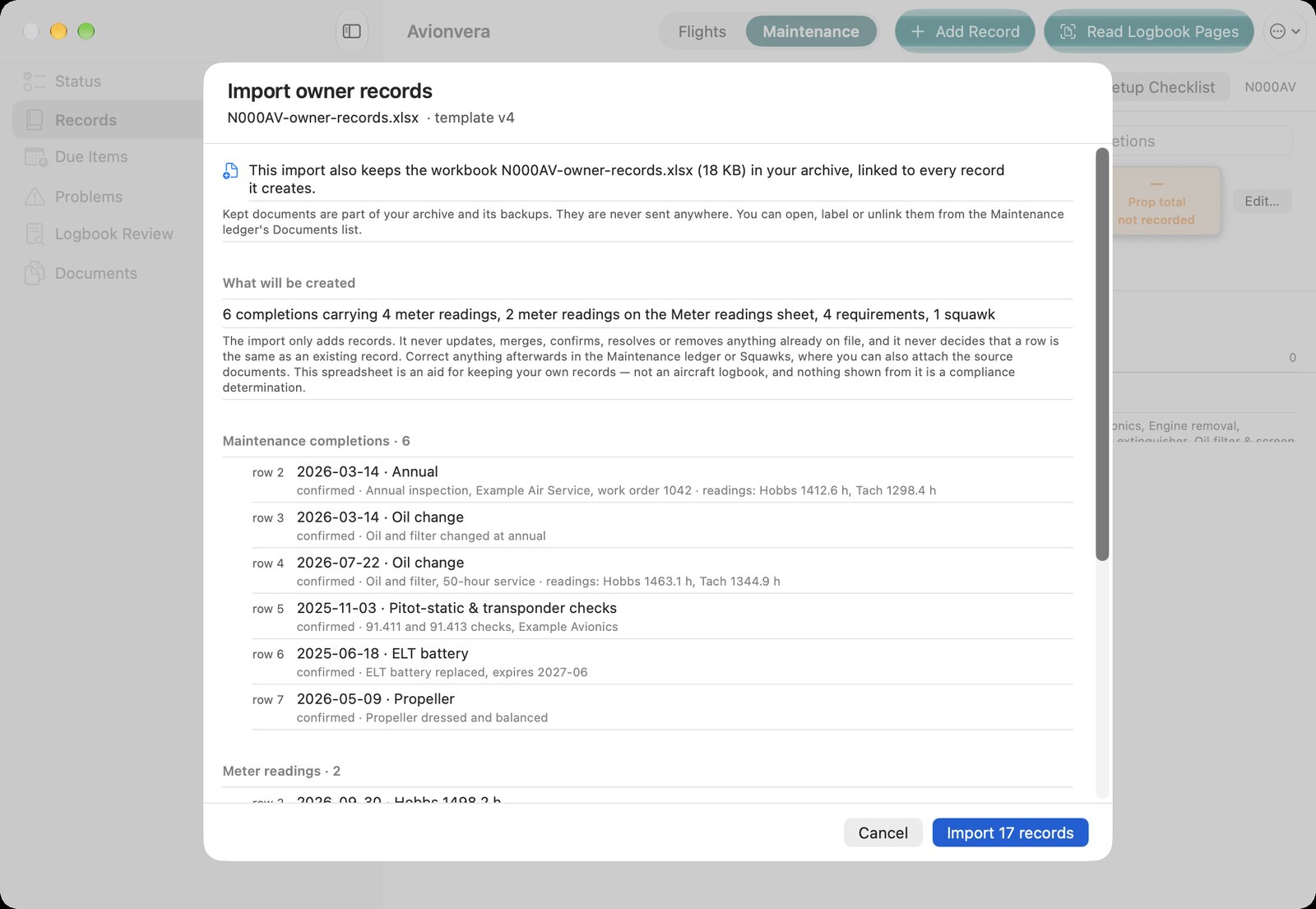
- Keep organized records instead of relying on scans? Fill in the app’s Owner-Records Template in Excel, Numbers or Google Sheets and import it: maintenance completions, meter readings, requirements and squawks. The app shows every row before anything is written and keeps the workbook with the records it creates. No logbook pages and no OpenAI key needed.
What it reads
Getting your files
Every recorder keeps its own copy on the airplane. This is how each one comes off; the user manual has the full steps. Menu paths were checked against the makers’ documentation in October 2026 and may differ with your software version. The GTN, Garmin Pilot and EDM-930 steps were confirmed by an owner on their own equipment.
Nothing on hand yet? The app opens with a demo record: a made-up airplane with 18 generated flights. To try an import, download the sample files: three generated flights and a two-page fictional engine log for an invented aircraft, with a README that says where each goes.
- JPI EDM-930
- With the EDM powered up, plug an empty FAT32 USB drive into its port and wait for DOWNLOAD: NEW. Tap STEP for new data, or CHANGE to DOWNLOAD: ALL and then STEP. Wait for DONE before pulling the drive. It holds one .JPI file that can span many flights; EZTrends is not needed. (EDM-930 Pilot’s Guide rev. K; older JPI software prompts DUMP NEW / DUMP ALL instead.)
- Garmin GTN Xi, and GTN 650/750
- On the ground, power off, insert an SD card, power on, then Home ▸ Utilities ▸ Logs ▸ Flight Data Log (GTN Xi Pilot’s Guide; confirmed on an original GTN 750). The card’s logs folder holds log_*.csv files, one per power-up. flyGarmin’s download bundle is encrypted by Garmin and cannot be opened; use the card’s files.
- Garmin G1000 and G3X
- When logging is enabled, the display writes log_*.csv files into a data_log folder on the SD card in the MFD’s top slot (G1000) or the PFD (G3X). Pull the card after shutdown. These import as GPS tracks today, and they are the files we most need to see.
- ForeFlight
- On the iPad: More ▸ Track Logs ▸ the flight ▸ Send To. On ForeFlight Web: Track Logs ▸ the flight ▸ Download ▸ KML (Full), which keeps every recorded point; Filtered reduces the sampling. Bank, pitch and g-load come along when the recording has them.
- Garmin Pilot
- More ▸ Logbook ▸ Entries ▸ the flight ▸ share icon ▸ the track as GPX. AirDrop, Mail or Files gets it to your Mac. GPX support is beta.
What it does
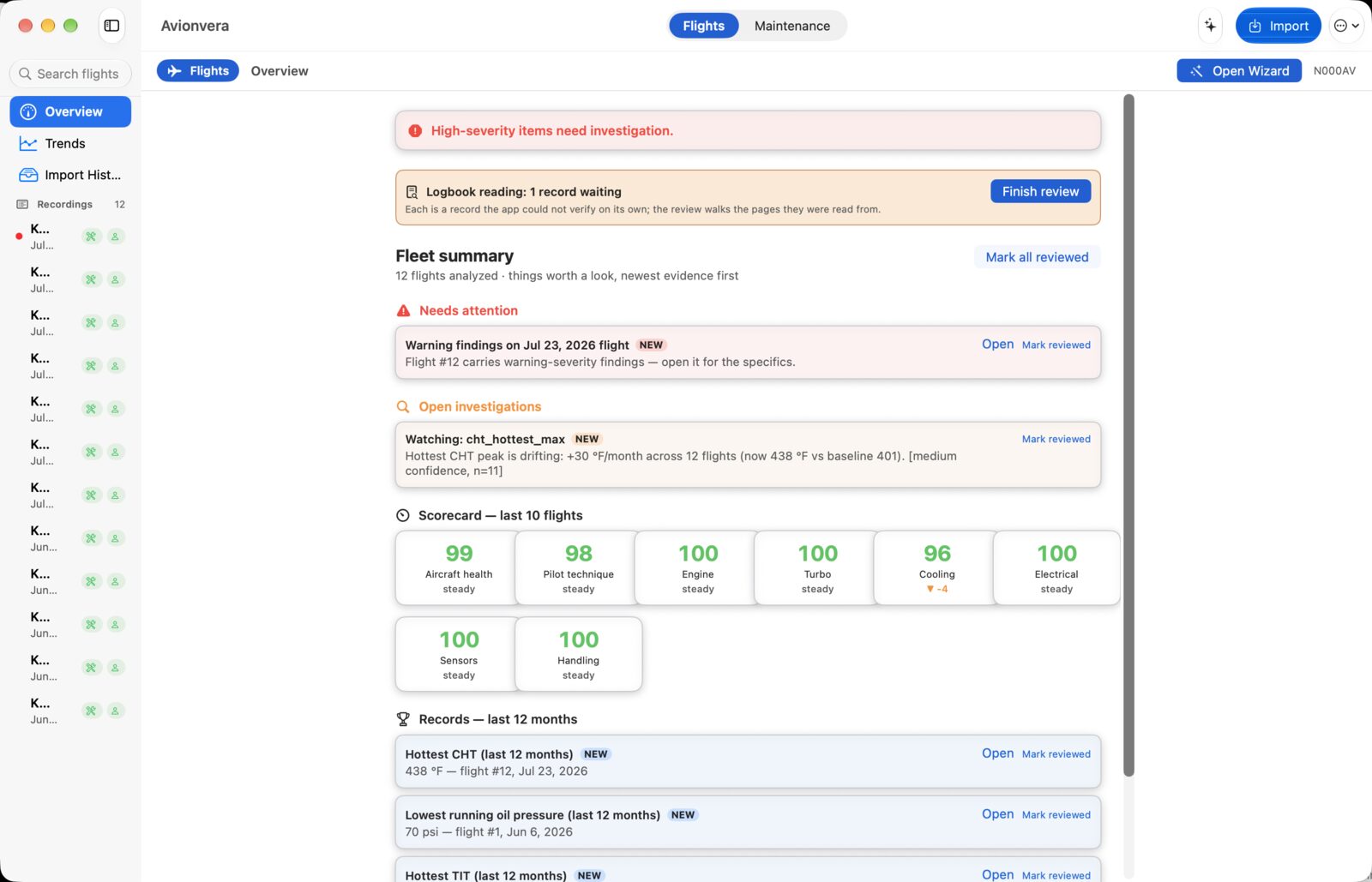
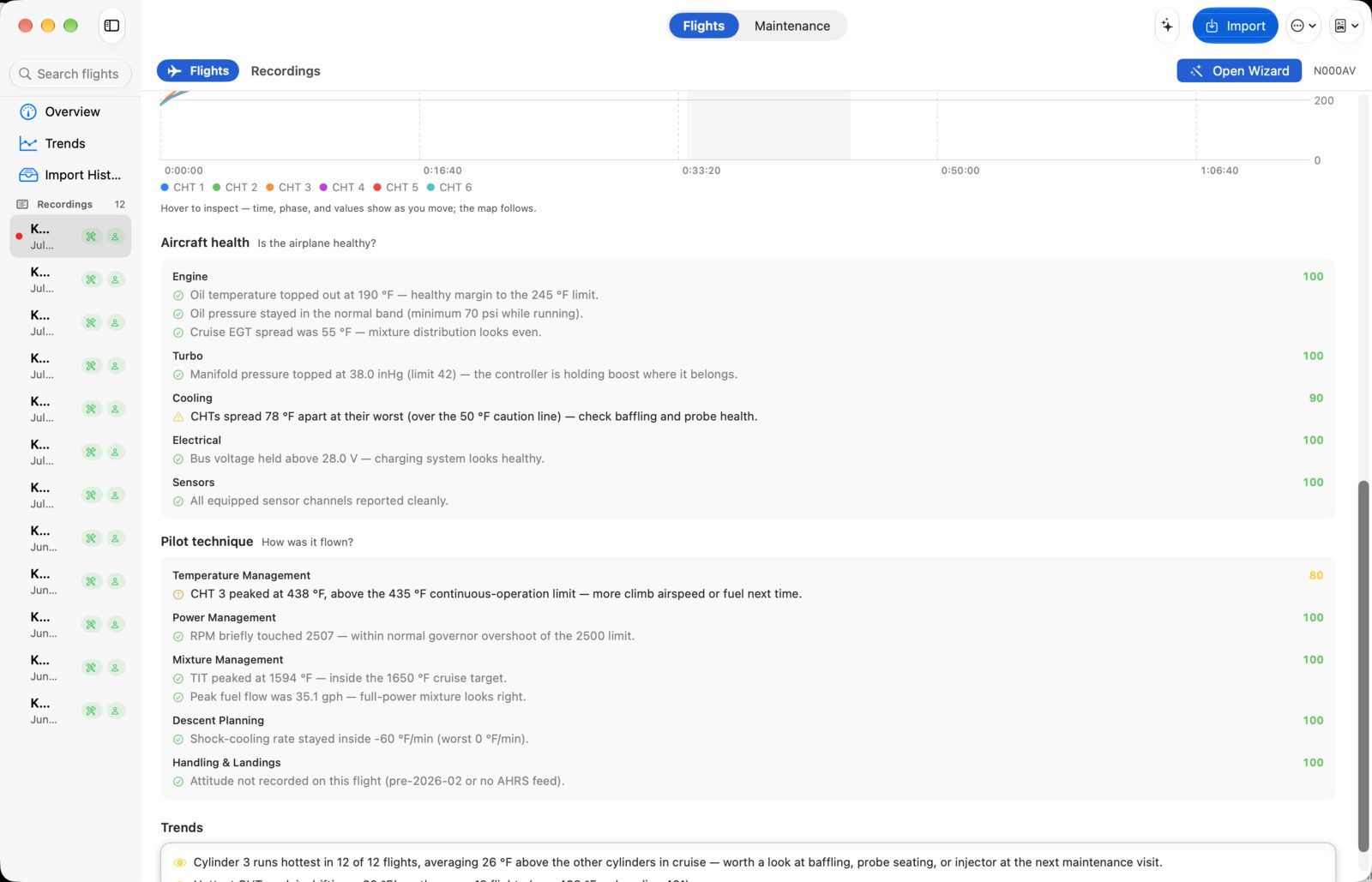
- Every flight, laid out. Phases, cylinder temperatures, fuel flow and the findings that stand out, with the route named from your own GPS fixes.
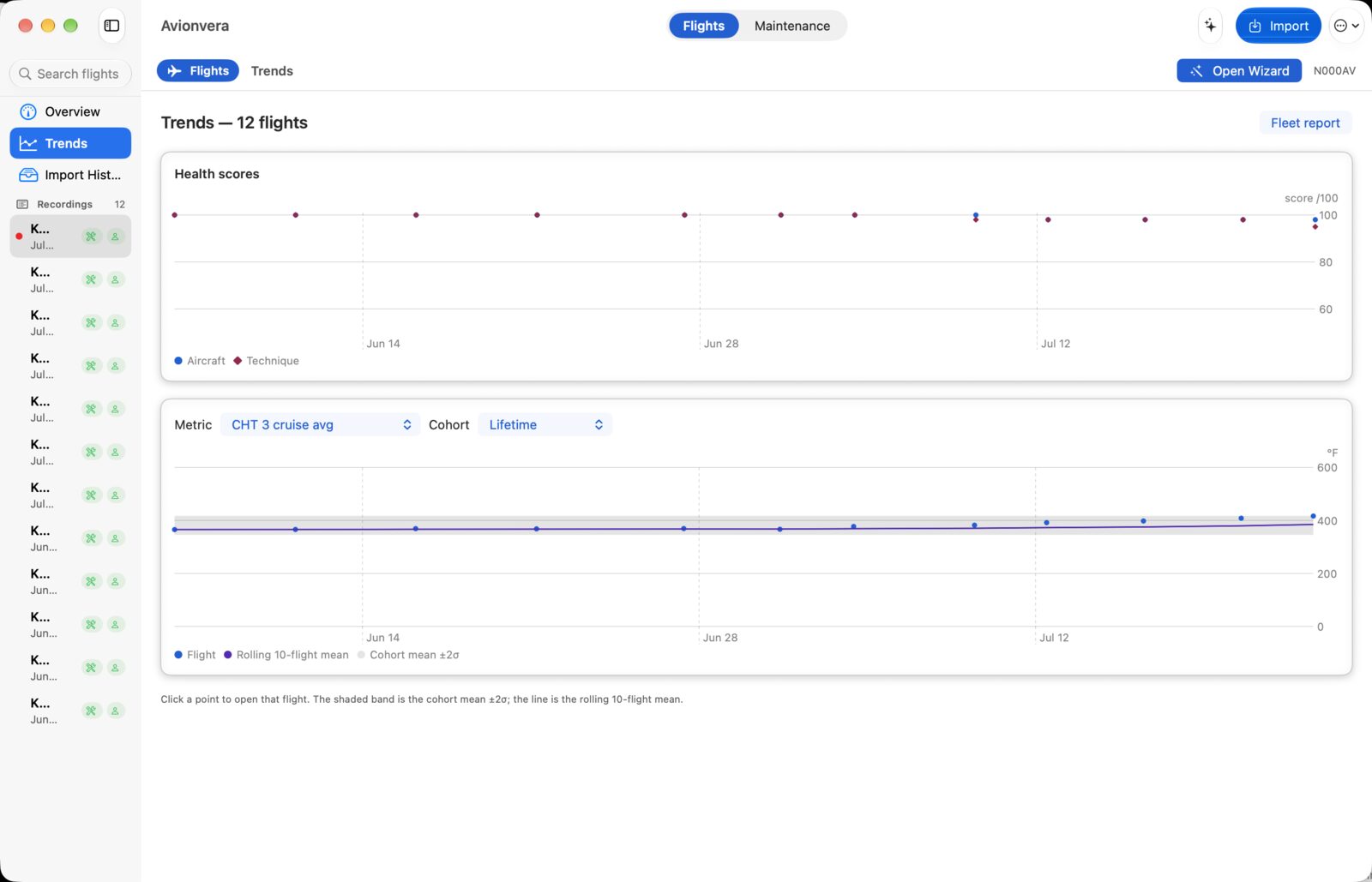
- Change over time. Trends across your flights, each compared only with the flights that came before it.
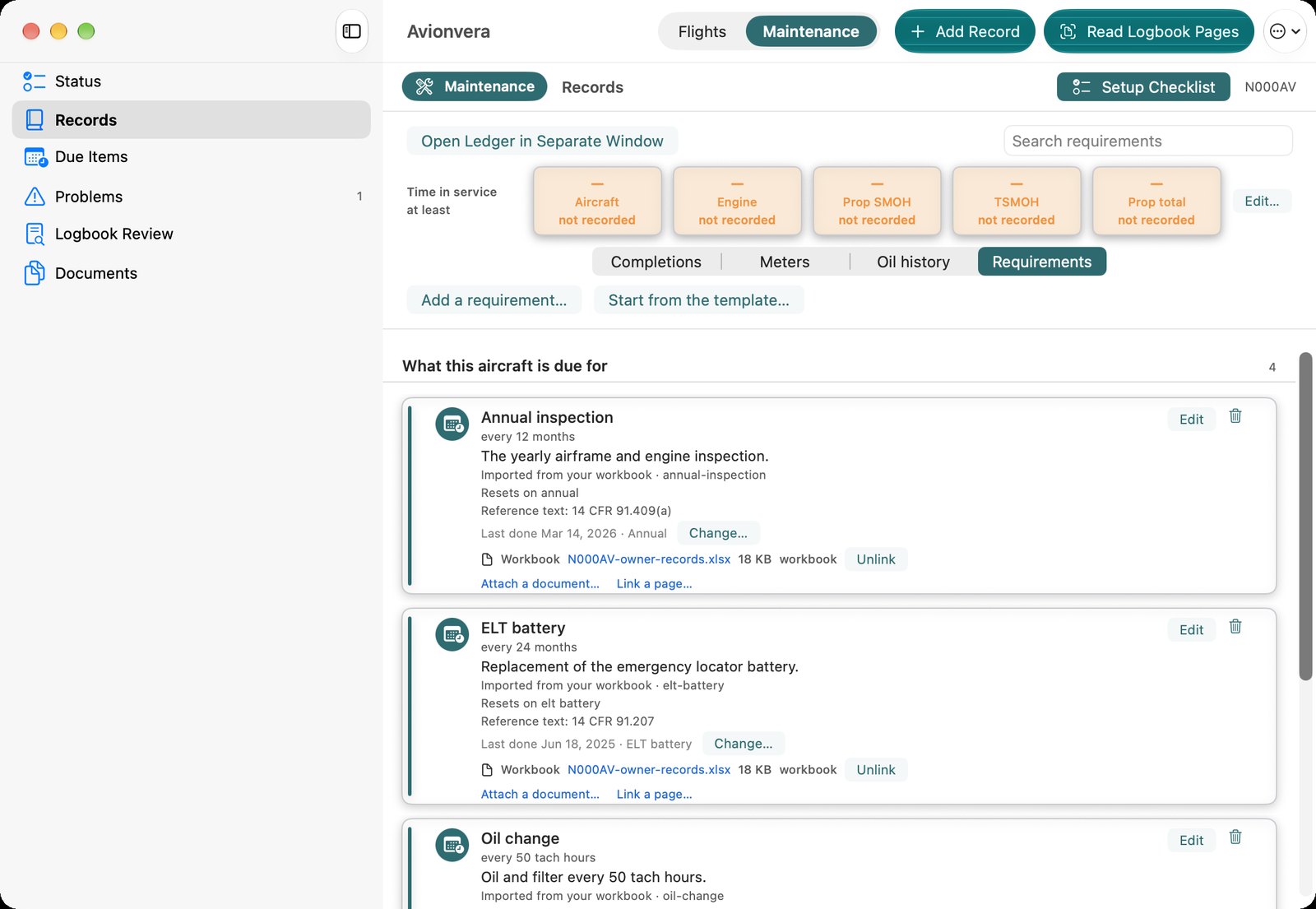
- Maintenance beside the data. Completions, meter readings and squawks you record, with the documents that prove them.
- Plain-language answers. Ask a question about a flight and get an answer that cites what it read. Optional, with your own OpenAI API key (OpenAI may charge for its use): the question goes to OpenAI with a summary of the app's own analysis, and you see what will be sent first.
Avionvera is being built for general aviation, piston and turbine, starting with the Piper PA-46 family, Malibu through M700. Recordings in supported formats can be imported and reviewed; the measurements available depend on the recorder and format. Numeric engine and technique scores are currently available only for the 1989–2015 PA-46-350P Malibu Mirage with a JPI EDM-930. Other configurations do not receive a numeric score. Some recorder formats cannot be read today.
What it looks like
Screenshots of a demo record: a fictional aircraft, generated flights, a made-up logbook page and a made-up records workbook.
What it isn't
- Not an airworthiness decision. Your logbook and your mechanic remain the authority. Nothing on screen says a regulation is met.
- Not a cloud service. No account and no sync: your archive is stored and analysed on your Mac, and nothing is sent on its own. A few optional features send something, each only when you ask: AI answers send a summary of the app's analysis to OpenAI, logbook reading sends the page images you choose to OpenAI, and a feedback report or a recording comes to us only when you send it for support. Response storage is turned off for OpenAI requests, but OpenAI's own data-use and retention policies still apply to what is sent.
- Not finished. It's a beta, and we want to hear where it falls short.
Join the beta
The first beta invites PA-46 owners, piston and turbine, to test how well Avionvera imports their recordings. Tell us your aircraft, engine monitor and avionics; sign up with an email address and we'll send your TestFlight link and how to get started. Flying something else? Write to us anyway; every recorder format we see brings the next aircraft closer.
Join the PA-46 beta